7 Cloud Computing
Nowadays, if you work on a large, complex dataset that can’t be analyzed on your laptop, you probably use The Cloud. Companies run their websites from The Cloud, host their databases in The Cloud, and store their files in The Cloud. Giant neural networks are trained by spending millions of dollars in The Cloud.
So what is The Cloud? Fundamentally, it’s just a computer rented from someone else.
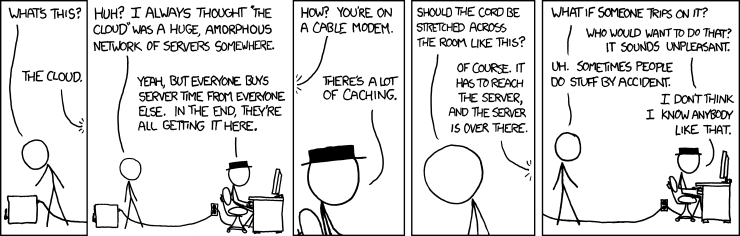
But to understand what we’re doing with The Cloud, we should perhaps go back a bit and talk about how you rent computers, and what cloud computing allows us to do.
7.1 The olden days
Suppose it’s 2005 and you work at a company that runs a large online store. You need:
- Servers to display the website to customers
- Storage for millions of product images, manuals, and brochures
- A database of product information
- A database of customers and sales
- Logs of customer activity, search terms, product popularity, and so on
- A system to send newsletters, product announcements, and sales to customers by email
- Servers to run automatic sales and accounting reports
- Servers that data analysts can use to run their programs analyzing sales data
Depending on the size of your company, that might involve dozens of servers each running different software. That’s too many computers to simply buy ordinary desktop computers and stick them under your desk. Instead, you’d get specially designed “rackmount” servers, which look like 19” wide pizza boxes that can slide into a specially designed metal rack that can fit 30 or 40 machines at a time.
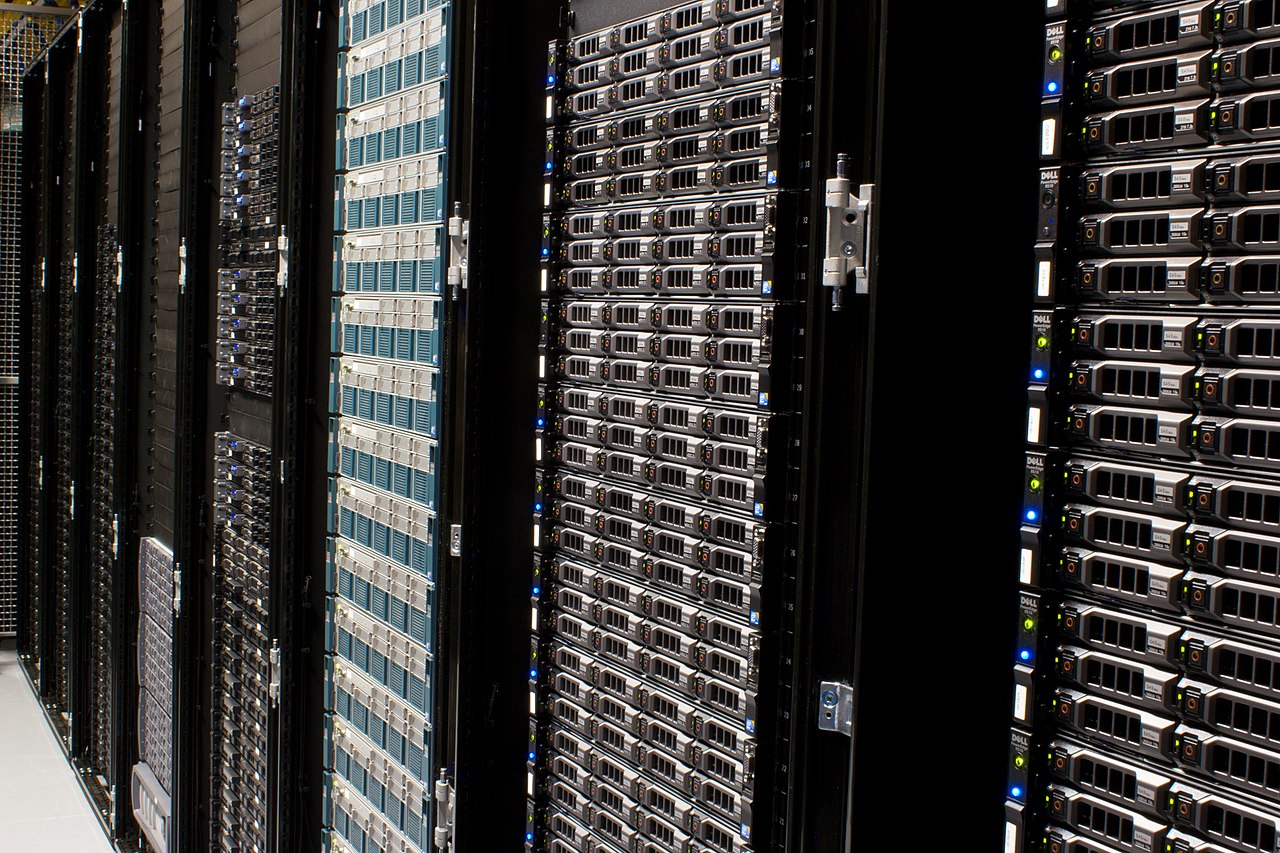
If your company is small, you might stick the rack in a suitable closet, add extra air-conditioning and power outlets, and connect them all to the Internet with the fastest connection you can afford. As your company gets larger, that gets impractical for several reasons:
- Computers generate a lot of waste heat, so you need more air conditioning than an ordinary office or conference room would.
- Computers use a lot of power, so you need an electrician to do new wiring; they also don’t like power outages, so you might want a generator or batteries.
- The more computers you have, the more time you’ll spend dealing with hardware failures. Disk drives, power supplies, and other components tend to fail, and when you have dozens of machines, you’ll be fixing lots of servers.
- Sick of managing software updates on your laptop? Imagine having 100 machines that all want to update, and all have different things installed!
- Now you need employees with expertise in hardware, computer repairs, networking, systems administration, and other things your company doesn’t know much about.
So instead you might outsource your computing needs. Many companies run “data centers”, which are just big warehouses with fancy air conditioning, backup batteries and generators, high-speed internet connections, staff technicians, and plenty of racks with space for servers. Many of these rent out space, so you can buy servers and have them installed in their data center.
This is called “colocation”, because your server is located in someone else’s facility, and it was a popular approach. You still have to set up the servers and manage all the software, but the data center staff can help you replace hard drives, install new servers into racks, and so on. Many companies rent space at many data centers.
But there are several weaknesses to this approach:
- You still have to set up all the software and configure the servers. That can be a very complicated task, particularly when you’re running a large service. How do you arrange load-balancing so that requests to your website get split among a hundred servers? How do you do automated backups of all your machines? How do you even keep track of all the servers you have and what they do?
- You also need a team of people with that expertise, and people are expensive.
- Adding new servers takes time. You have to order them from a supplier, wait for them to arrive at the data center, have them installed in a rack, start installing all the necessary software, and so on—which can take weeks.
So a variety of alternatives appeared. The simplest one was rental: You could rent a so-called “dedicated server”, which was basically a server that a data center already had sitting in a rack, ready to go. For a monthly fee (based on the size and speed of the server), you could get access to log in and install whatever you wanted. Don’t need it any more? Stop paying, and they’ll rent it to someone else. Need a new server? The data center has spares waiting for customers, so you can rent one. All you need is a staffer with a credit card to fill out the form to rent more servers.
Soon even more options appeared. Many were based on virtualization: Using special software so that one large server could run several operating systems at the same time, each of which gets a fixed chunk of the disk and memory, and does not have access to the others. This could be more efficient for the data centers. Instead of renting servers of all sizes, to suit different customers, they could buy a bunch of high-end servers with lots of CPUs, lots of memory, and very big disks. Then they could rent out slices of these servers to different customers. These slices were called “virtual private servers”, or VPSs.
In 2005, then, your company might have chosen to colocate servers, to rent some servers, or to rent some VPSs, depending on its needs. Maybe its core infrastructure was colocated servers, but some servers were rented as needed when new projects started.
7.2 Rental computing
By about 2007, rented servers were maturing into a new category: cloud computing. The name “cloud” came from the ultimate goal: instead of dealing with real physical servers, there’d just be a bunch of computing resources available on-demand, for a fee. If you were drawing a diagram of your system infrastructure, you could just draw a cloud-shaped blob in the middle where the computing goes.
Cloud computing builds on the rental framework with several additional features:
- Minute-by-minute billing. Instead of renting servers a month at a time, you can rent them for just the time you need them.
- Fast setup. If you want more servers or services, you can get them added to your account in minutes. (Also, you previously learned about container systems like Docker. Combine these with cloud computing and it’s easy to get a server running all your software in a container, in minutes.)
- Integrated computing products. Need a database? It’s a pain to rent a server, install PostgreSQL on it, adjust all the settings, keep it updated, set up backups… why not just rent a PostgreSQL database? Cloud computing companies offer all kinds of integrated services for rent, not just bare servers.
- Accounting systems for keeping track of all your servers and what they do. Many of these systems are built for large companies that have many teams, where you need to keep track of who has the servers, and maybe need to set usage quotas and billing details separately for different parts of the company.
- APIs to automatically rent more services, shut machines off, change their settings, and so on—so instead of using forms to request services, your Python program can do it automatically.
From about 2010 onward, companies rapidly moved their computing over to The Cloud. It offered many advantages: great flexibility, less hardware maintenance (all handled by the cloud provider), faster setup, greater reliability… and as cloud providers can specialize in developing computing services, they could build more sophisticated services than a company could typically build on its own. Rapidly growing companies could quickly rent more services, or even scale services up and down automatically as needed to meet customer demand.
There are, of course, disadvantages. Renting a basic server, without any of the fancy services, is much more expensive than just buying one. Different cloud providers offer different services, so once you’ve built a system using one, it’s hard to switch to another. And while it’s nice to automatically rent more servers if your site is suddenly overloaded, it’s also easy to wake up one morning and find a $100,000 bill because one of your services got popular overnight. Or to forget to turn off services you’re not using, and pay for months of “use” you never needed. Anyone at large companies with thousands of cloud servers has stories of systems consuming thousands of dollars a month because someone forgot to turn them off.
7.3 Common products
There are several major cloud providers. Amazon is the most well-known with its Amazon Web Services system, but Microsoft Azure and Google Cloud are competing heavily, and there are many other companies offering cloud services, including IBM, Rackspace, Alibaba, and many others.
Each has its own set of services, but there are common ones available in different forms by many providers:
- Rented servers. Amazon calls this the Elastic Compute Cloud (EC2); Google calls this the Compute Engine; but in each case, you specify what memory and processor you want, and you get a machine to rent, just like the old VPS services.
- Object storage. Here “object” typically means “file”; but instead of offering a hard drive with lots of space, cloud providers build object storage systems. These let you organize lots of files into groups, and have the cloud provider automatically store them in a redundant way so they aren’t lost when a hard drive fails. Objects are typically available through an API you can access from various programming languages.
- Databases. Rent a SQL database where all the software is set up for you, and you just pay by the hour.
In recent years, many cloud providers have created products focused on data science and machine learning. Many have products based on Apache Spark; many have deep learning products that can store your trained models and produce predictions on request; some even have point-and-click tools that will fit machine learning models to your data without requiring you to write any code.